Office Call Bell Developer: Arcode Studios Effective date: September 14, 2026
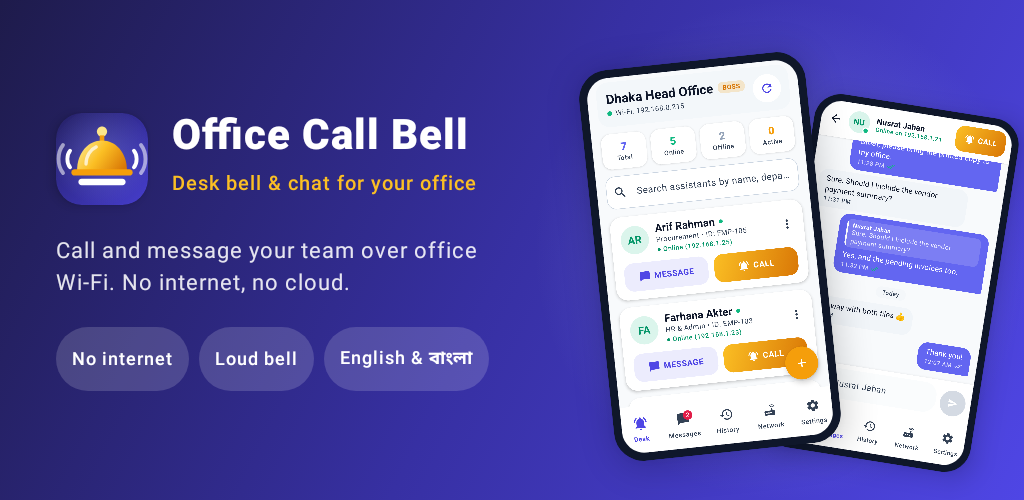
Office Call Bell is a desk bell and chat app for offices. It works only on your local Wi-Fi network or mobile hotspot. This policy explains what information the app handles, where it goes, and the choices you have.
Summary
•The app has no accounts, no servers, no ads, no analytics and no tracking.
•We (the developer) never receive any of your information. Nothing is sent to us or to any third party over the internet.
•Your profile, messages and call records are stored on your device. Some of them are sent directly to other devices on the same local network that run Office Call Bell, because that is how calls and messages reach your colleagues.
Information the app handles
1. Profile details you enter
Your name or desk label, employee ID or desk number, department or room, office name, and your role (Boss/Manager or Assistant).
•Why: so colleagues can find your desk, see who is calling, and know who sent a message.
•Where it goes: stored on your device and announced to other Office Call Bell devices on the same local network.
2. Device identifier
A random device ID that the app creates the first time it opens. It is not based on any hardware or Android identifier.
•Why: to deliver a call or message to the right device on the network.
•Where it goes: stored on your device and shared with other Office Call Bell devices on the same local network. It is not used for advertising and cannot identify you outside this app.
3. Local network details
Your device’s local IP address and the network port numbers the app uses. If Android makes it available, the app shows the Wi-Fi network name on your own screen.
•Why: so devices on the same network can connect to each other.
•Where it goes: the IP address and ports are shared with devices on the same local network. The Wi-Fi name is only shown on your device. The app does not request location access.\
4. Messages
Text messages and replies you send or receive in the app, including the short quote of a message you reply to, delivery status and read receipts.
•Why: to provide office chat.
•Where it goes: sent directly to the recipient’s device over the local network and stored on both devices. Messages are never sent over the internet or to any server.
5. Call records
Who called whom, when, and whether the call was accepted, declined or missed.
•Why: to show call history.
•Where it goes: stored only on your device. During a call, basic call signals (for example “ringing” or “accepted”) and the caller’s name are exchanged between the two devices on the local network.
6. Settings and sounds
Your ringtone, loudness, vibration, call timeout and language choices. If you choose a phone ringtone, the app keeps a reference to that sound so it can play it; it does not read other files.
•Where it goes: stored only on your device.
7. Network diagnostic log
A log of local network events (such as discovery and message delivery) shown on the Network screen.
•Where it goes: stored only on your device and never sent anywhere.
What the app does not do
•It does not collect, sell or share your information with the developer or any third party.
•It does not show ads or use advertising IDs.
•It does not use analytics, crash-reporting or tracking services.
•It does not access your location, contacts, camera, microphone, photos or phone calls.
How information travels and security
Calls and messages move directly between devices on your local Wi-Fi or hotspot. This local traffic is not encrypted, so another person on the same network with special tools could observe it. Use Office Call Bell on a network you trust, such as your office Wi-Fi, and do not send sensitive information such as passwords or financial details in messages.
Information stored on your device is protected by Android’s app sandbox, so other apps cannot read it.
Permissions
Permission
Why the app needs it
Internet, network state, Wi-Fi state
Open local network connections to other devices. The app does not contact internet servers.
Change Wi-Fi state, Wi-Fi multicast
Receive discovery broadcasts from other devices on the local network.
Notifications
Show incoming bells, missed calls and new messages.
Full-screen alerts
Show an incoming bell over the lock screen, like a phone call.
Foreground service (connected device)
Keep listening for bells and messages while the app is in the background.
Vibrate, wake lock
Vibrate and keep the device awake long enough to ring the bell.
Storage and deletion
Your information stays on your device until you delete it:
•Delete a conversation from the Messages screen, or all conversations in Settings.
•Clear call history on the History screen, and clear the network log on the Network screen.
•Edit your profile at any time in Settings.
•Clearing the app’s data or uninstalling the app removes everything it stored on your device.
Messages and call signals already delivered to another device stay on that device until its user deletes them.
Android backup
If you have turned on backup in your Android settings, Android may include this app’s data in your Google Account backup or in a transfer to a new phone. This is handled by Google under its own terms and you can turn it off in your device settings. The developer cannot access these backups.
Children
Office Call Bell is a workplace tool intended for adults. It is not directed at children, and we do not knowingly handle information from children under 13.
Your choices
Because we do not receive or hold any of your information, there is nothing stored with us to access, correct or delete. You control all app data on your device using the options above. If you have a question, contact us below.
Changes to this policy
If we change this policy, we will update it in the app and at the same web address and change the effective date above.
Contact
Arcode Studios Email: [email protected]
Leave a Reply